
Good deals, in your pocket.
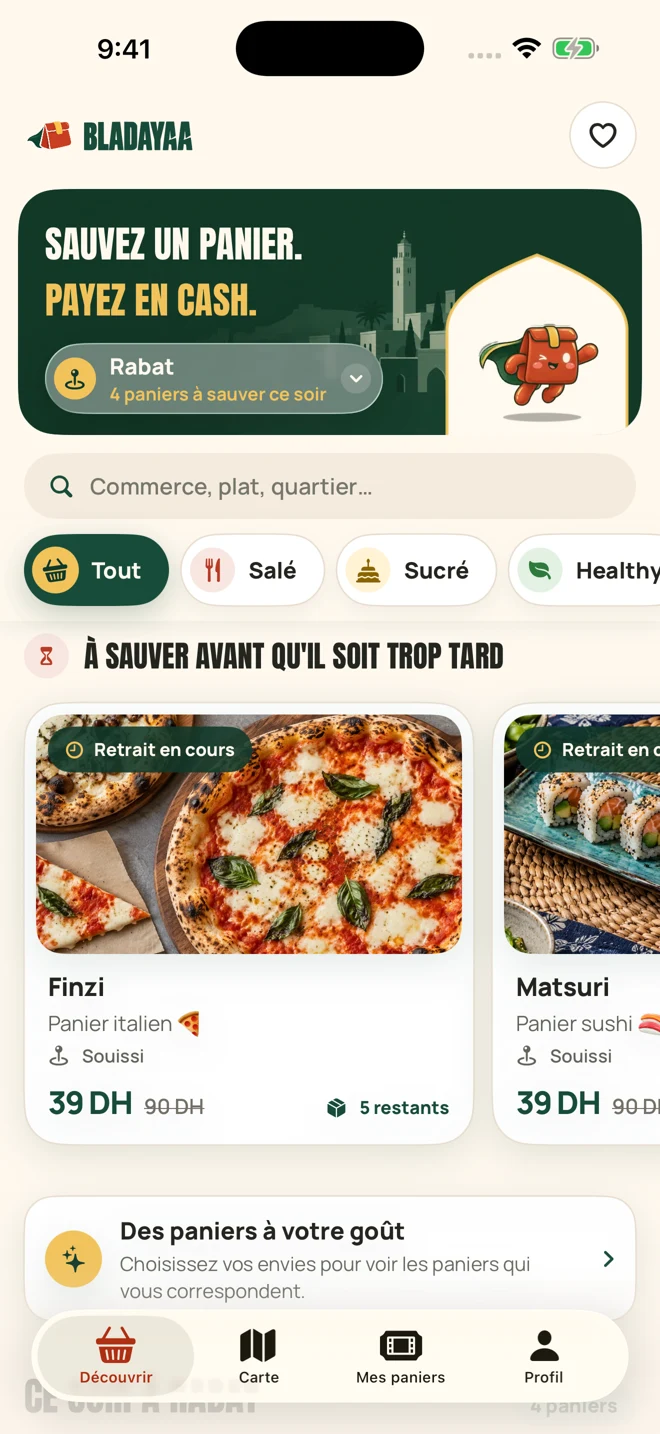
Compare available bags, find something you fancy and reserve. Keep your confirmation, pickup window and instructions together in the app.
- Bags to match your tastes
- Your reservations in one place
- QR and pickup code close at hand
App Store and Google Play links will appear when available.

Scan to access the app
iPhone app screenshot from 6 October 2026. Prices and availability vary.
Reserve in the app. Pay cash at pickup.
How it worksYour next bag, in a few simple steps.
It all happens in the app. Payment happens at the shop.
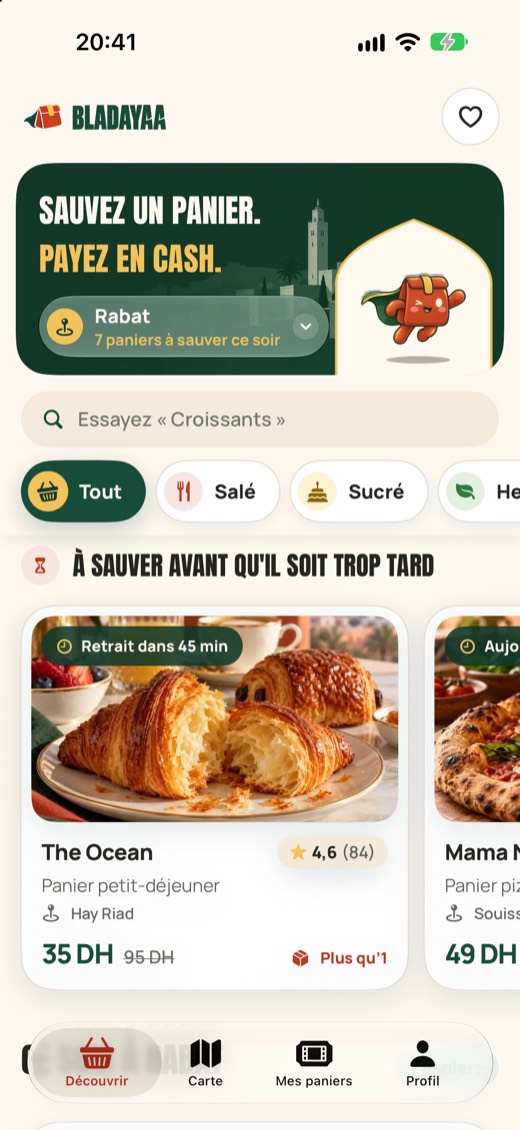
Find your bag.
Check the price and pickup time.
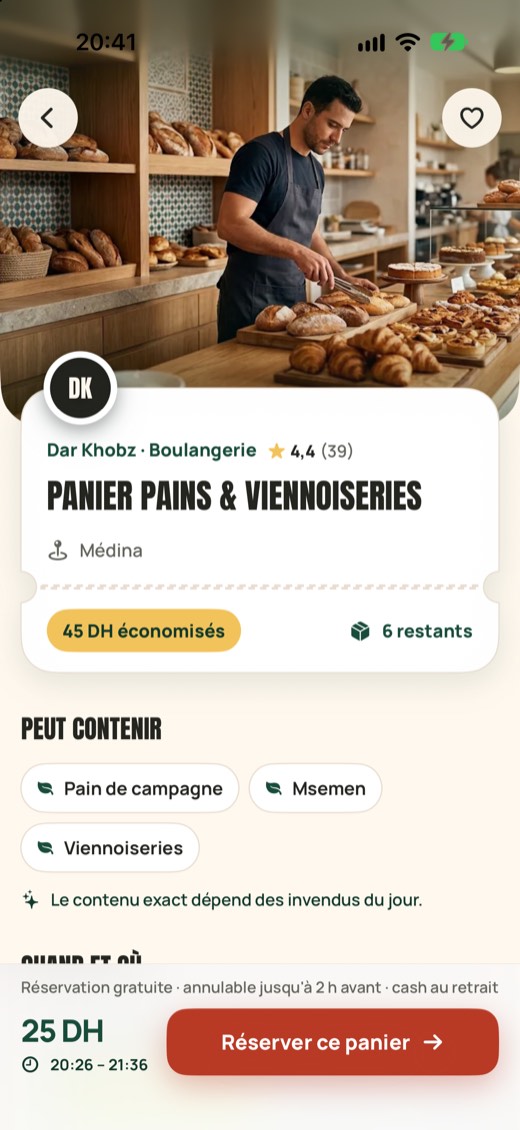
Reserve in the app.
Confirm in the app.
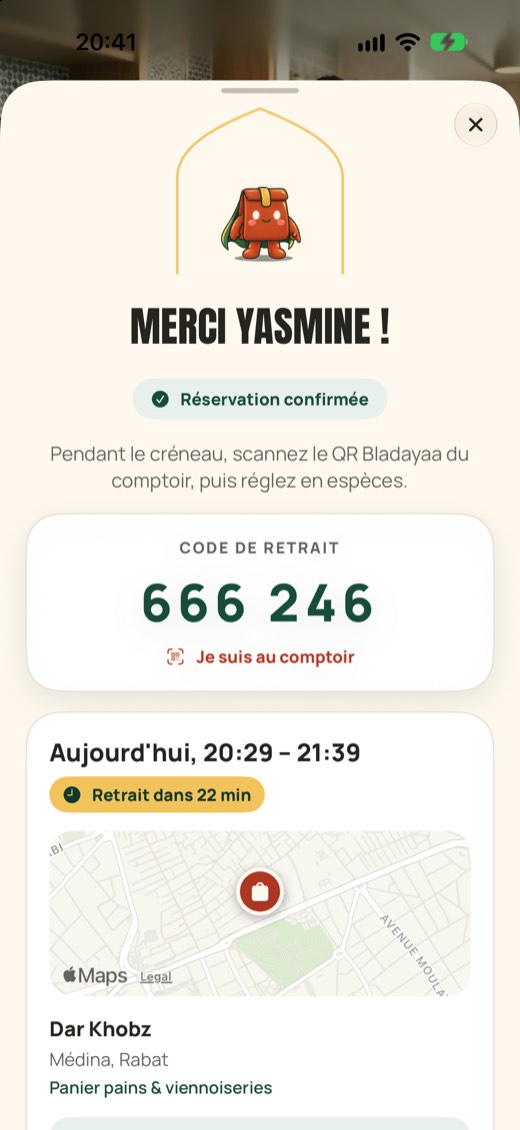
Pick up on time.
Scan the QR and pay cash.
iPhone app screenshots. Shops and offers shown as examples.
Before your first bag.
All questionsWhy do the bags cost less?
Shops offer products that have not sold during the day. You get a reduced price with surprise contents and a specific pickup window. The price and available information are shown before you reserve.
What is inside a surprise bag?
It depends on the day’s surplus. The category and shop information help you choose, but the exact products may vary. Photos are illustrations; a pictured item is not guaranteed.
How do I pay?
Reserve in the app and pay cash directly to the shop at pickup. Bladayaa currently has no online payment.
Can I cancel my reservation?
Cancellation is free until two hours before the pickup window starts, from My bags in the app. After that, contact support if you have a problem.